A free app that runs on your Mac. Drop in a track you love, pick a genre, and it builds an arranged, editable Ableton Live set to start from.
You download the app once. After that, everything happens on your computer: no accounts, no uploads, no waiting in a queue.
Install the free Mac app. The first launch sets itself up with a progress bar, and there's nothing to configure.
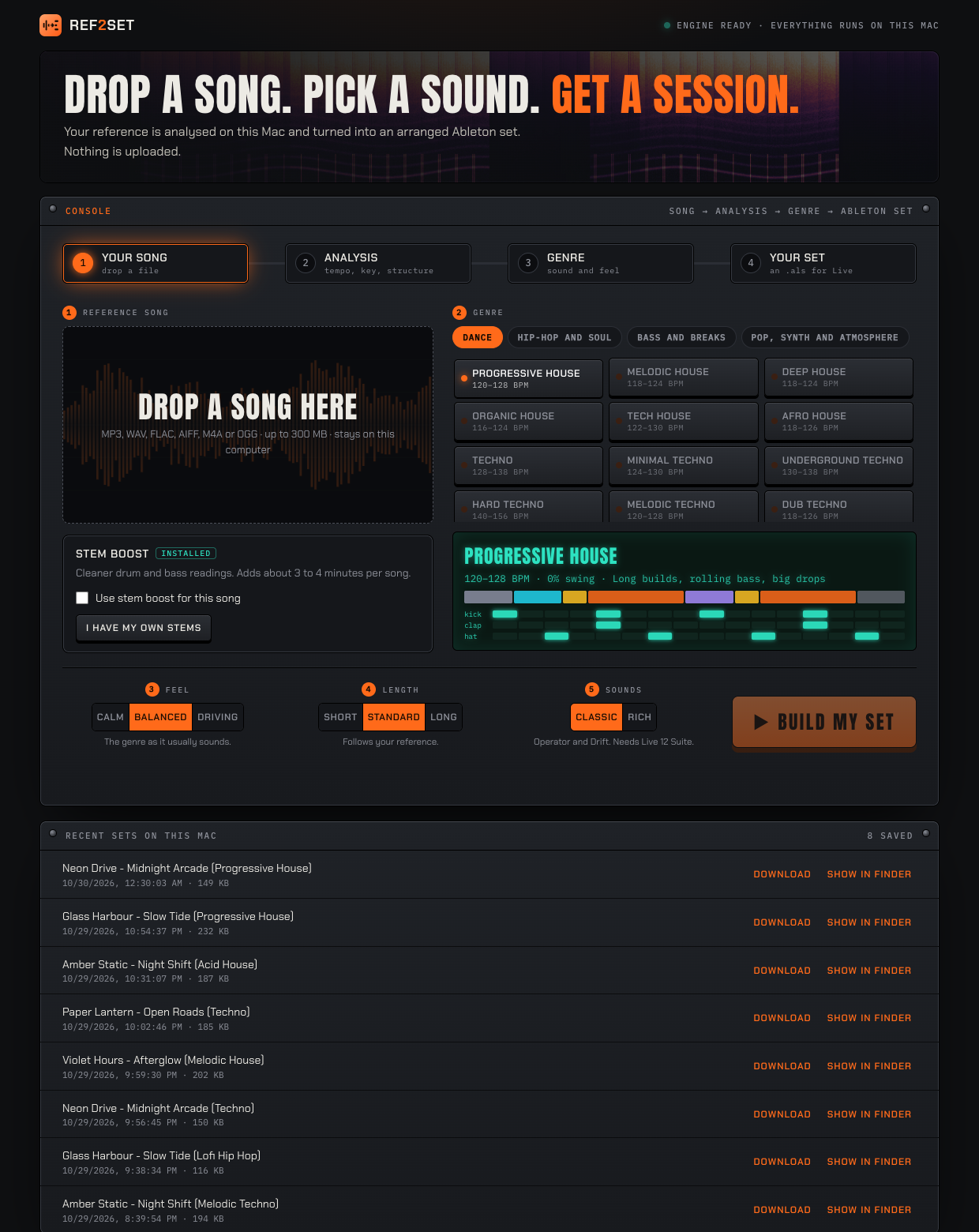
In the app's console, drop in a song you love, choose a genre, then set the feel, length and sounds. Hit build.
The app hands you an .als file with arranged MIDI, sidechain, EQ, returns and automation. Double-click it and make it yours.
The app opens a console on your own computer. Everything below is the real thing: drop a song, shape the set, watch it build, and take the .als file straight into Live.
Before and after the build you get a read-out of your reference. Use it to learn why the track works, not only to start one.
Dance, hip-hop and soul, bass music, pop and atmosphere. Scroll to run through them, or pick one from the list.
Pick a track to see what it plays, what it's made from and what moves. It's all plain MIDI on Ableton's own devices, so you can swap the sound and keep the notes.
Six kinds of automation are written into your set, depending on the genre, so it moves from bar one.
Your song is analysed on your machine, and the audio is deleted when the job finishes. The internet is only needed to download.
We borrow tempo, key, structure and feel. Melodies and patterns are generated fresh.
Operator, Drift and, in Rich mode, Wavetable, Analog, Collision, Electric, Tension and Meld, plus Live's own effects. Nothing from Ableton is bundled with the app.
Ref2Set runs on trackscan, an analyser we built for exactly this job: listen to a finished song and write down what it is made of. It started as a private tool for building tracks. Now it is a tool for everyone.
The app is published on GitHub Releases over HTTPS, at no cost to you.
The SHA-256 checksum is under the download button. Run shasum -a 256 on the file to confirm your download is untouched.
Releases will be built by a public build script, with a signed record of where each file came from.
Ref2Set is not notarised by Apple yet, so the first time you open it macOS says it can't verify the app. You confirm it once in System Settings, as shown below.
You only do this once. On macOS 15 and newer, right-click → Open no longer skips this step. Prefer Terminal? Run xattr -dr com.apple.quarantine /Applications/Ref2Set.app
Free to download and use. Your songs are analysed on your computer and the audio is deleted when each job finishes.
⬇ Download for Macfc0c6286bfe0b565eae084578a62dc35c49fa642434ebe5cd47393d269679237From the app's console on your Mac. When the build finishes, click Download .als, or Show in Finder. This website only explains the app; it never handles your music or files.
Live 12 Suite for now. The sets use Operator, Drift and Echo, plus Wavetable, Analog, Collision, Electric, Tension and Meld in the Rich sound option, and Ableton lists several of these as Suite features. A version that works on Standard is planned.
Save your current work in Live, then double-click the .als file or drag it onto Live. Press space to play, and click a section name in the locator bar to jump to it. The user guide has screenshots.
No. The analysis runs on your computer and the audio is deleted as soon as the job finishes. The app only needs the internet to download.
No. It borrows tempo, key, structure and feel. Melodies and patterns are generated fresh for the genre you choose, and they're meant to be replaced with your own ideas.
An optional download that separates your song into drums, bass and the rest, so the analysis reads them more accurately. It's about 2 GB, adds a few minutes per song, and uses Demucs, whose trained model has an unclear licence for non-research use. Installing it is your choice, and everything works without it.
Like any Mac app: press ⌘Q, or right-click its Dock icon and choose Quit. The console also has a Quit button, and closing the console tab stops Ref2Set after a few seconds. It never stops in the middle of building a set without asking.
Your sets are saved in ~/Library/Application Support/Ref2Set/sets, and the console's Show in Finder button opens that folder. To remove Ref2Set, quit it, delete it from Applications, and delete that Ref2Set folder.
MP3, WAV, FLAC, AIFF, M4A and OGG. A clear, steady track works best. When a song is unclear, the app falls back on classic genre patterns and tells you so.
